
Does Framer AI Have a Built-In CMS? 2026 Guide
 Solt Wagner
The real question: what “built-in CMS” means in Framer
If you’re asking does framer ai have built-in cms, you’re probably not looking for a philosophical answer—you want to know whether you can publish real content (like a blog or directory) without duct-taping tools together. The tricky part is that “CMS” means different things depending on whether you’re a designer, a marketer, or a founder trying to ship a site this week. Framer’s positioning also blurs the lines a bit, because it’s both a design-first tool and a publishing platform (and yes, it has AI features). You can explore the product positioning directly on Framer: Create a professional website, free., but the practical definition is what matters here.
CMS vs static pages (in plain English)
A static page is a page you design and edit manually—every headline, image, and paragraph is “baked in.” A CMS page is generated from structured content, so you can add a new post (an “item”) and the site automatically creates a consistent page for it without you designing a new layout each time.
What most creators expect: blogs, authors, categories
When most people say CMS, they mean “I want a blog CMS,” plus the stuff that usually comes with it: categories/tags, author pages, featured images, and a nice editor experience for ongoing publishing. They also expect content governance basics—drafts, scheduled publishing, and a way for multiple people to contribute without stepping on each other’s work.
Where AI fits: generating layout vs managing content
AI in a “Framer AI website builder” context tends to help you generate layouts, sections, copy ideas, or starter pages quickly. A CMS, on the other hand, is about how you store, organize, and publish content reliably over time—especially when the site grows beyond a handful of pages.
One quick note from the Frameblox angle: if your goal is to ship a polished marketing site fast, using a design system like frameblox.com can cut out a huge amount of “blank canvas time.” But the CMS question still matters, because a design system makes your pages consistent—while a CMS makes your content scalable.
So… does Framer AI actually include a CMS?
Yes—Framer includes a built-in CMS feature. So if your core question is does framer ai have built-in cms, the accurate answer is “Framer (the platform) has a CMS, and you can use it alongside AI-assisted site creation.” The nuance is that the AI and the CMS are related but not identical: AI helps you generate structure and design faster, while the CMS is how you manage dynamic content.
Short answer and what’s true today
Framer’s CMS works through “Collections,” where you define fields (like title, slug, cover image, date, body content) and then create items (posts, jobs, listings). You can publish dynamic pages from those items, which is the baseline requirement for a “real” CMS experience for many teams.
Framer’s CMS feature set at a glance
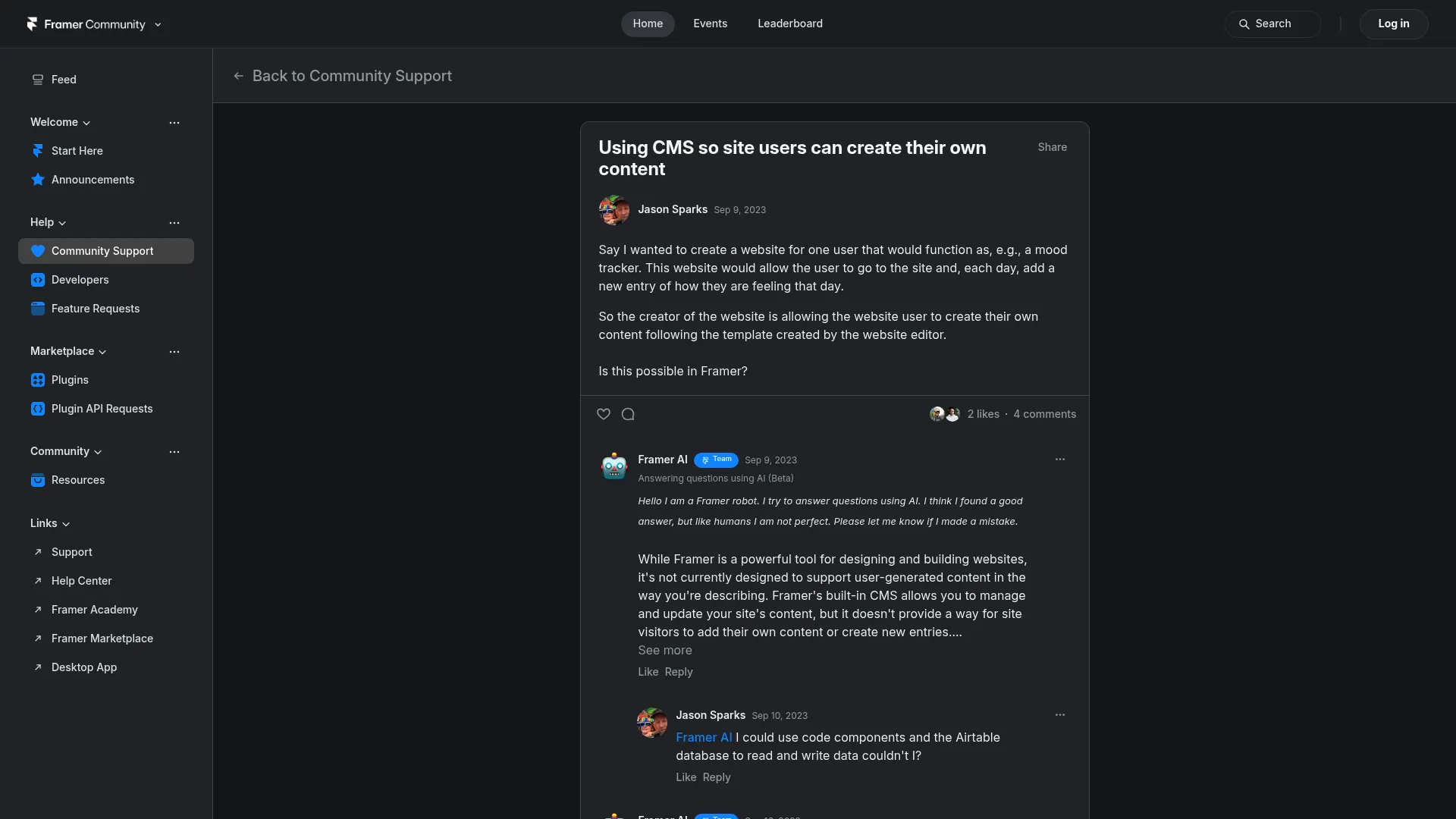
You can typically expect core building blocks like collections, list views, CMS templates, and the ability to bind fields to design elements. For community discussions and practical limitations people run into (especially around who can edit and how), this thread is a useful reality check: Using CMS so site users can.
When “AI site” and “CMS site” are not the same
I’ve found the confusion comes from assuming AI-generated pages are automatically CMS-driven. They’re not—AI might generate a great-looking blog index page, but you still need to wire it to a Collection, set up a template, and define the fields that will populate those layouts. The end result can be fast and clean, but it’s still a build step you need to do intentionally.
So: does framer ai have built-in cms? Yes. But if you’re expecting WordPress-style roles, plugins, and editorial workflow tooling, it’s better to view Framer CMS as “design-forward, lightweight, and fast” rather than “enterprise publishing suite.”
How Framer’s CMS works behind the scenes (Collections 101)
Once you get past the headline question—does framer ai have built-in cms—the next practical step is understanding how Framer CMS actually thinks. The simplest mental model: you’re designing a reusable “card” and a reusable “page,” and Framer fills them with content items from your Collection. If you want a deeper explainer from a third party, The Power of the Framer CMS breaks down the core concepts clearly.
Collections, fields, and items
A Collection is like a database table: “Blog Posts,” “Jobs,” “Case Studies,” or “Components.” Inside it, you create fields—for example, Title, Slug, Excerpt, Cover Image, Category, and Body. Each individual entry you add is an item, like one blog post or one job listing.
Dynamic pages and CMS-driven templates
To publish, you build a template page that references the Collection fields, and Framer generates a unique URL per item based on the slug or URL structure you choose. In practice, that means you design the layout once (hero, author line, content body, related posts), and then you can publish 10 or 200 posts without redesigning.
Filtering, sorting, and basic relationships
Framer Collections typically allow sorting (newest first, alphabetical, custom) and filtering (by category/tag fields, featured flags, etc.). Relationships are usually “basic,” meaning you can mimic relational behavior with reference-like fields or consistent naming, but it’s not the same as a full relational database with complex joins and permissions.
If you’re building a marketing site for a SaaS—especially one like Frameblox, where you may want a blog, changelog, or “what’s new in the UI kit” updates—this Collection model is exactly what you’d use to keep publishing consistent without rebuilding pages every time.
What you can build with Framer CMS (and what you can’t)
People ask does framer ai have built-in cms because they want to publish something that grows. Framer CMS is great at “structured content + beautiful design,” but it’s not a full editorial platform in the WordPress sense. The best way to judge it is by outcomes: what can you ship quickly, and what will feel painful later?
Blogs, changelogs, job boards, directories
Framer CMS is a strong fit for a Framer blog CMS setup, especially when your blog is design-forward and you care about layouts, typography, and fast iteration. Changelogs and release notes work well too because they’re naturally structured (date, version, summary, details). Lightweight directories and job boards can also work, as long as you don’t need complex filtering logic or user-submitted content.
Multi-author, tags, and editorial workflows
You can model authors and tags using separate Collections or fields, and you can create author pages and tag archives with consistent templates. Where it gets tricky is workflow: if you need granular roles (writer vs editor vs admin), content approval chains, and audit trails, you may find Framer’s workflow capabilities limited compared to more publishing-first systems.
Membership, gated content, and complex roles
This is the big “maybe.” You can create gated content experiences using external tools, paywalls, or custom auth systems, but it’s not the native default experience of Framer CMS. If your SaaS content strategy depends on membership tiers, user-specific permissions, or a full learning hub with progress tracking, you’ll likely need integrations or a headless CMS plus auth.
For Frameblox specifically, a common use case might be: public marketing pages + a blog + a changelog + a “components library overview.” Framer CMS can handle a lot of that nicely, and the design quality stays high without wrestling templates.
Publishing workflows that feel like a “real CMS”

Even if does framer ai have built-in cms is answered “yes,” the day-to-day reality is workflow. A CMS is only as good as your ability to publish without breaking layouts or shipping mistakes. The good news is you can create a workflow that feels surprisingly “grown up” if you set up a few guardrails early.
Drafts, scheduling, and approvals (what’s supported)
Depending on your plan and setup, you can manage content states in a lightweight way—often by using fields like “Published” (toggle), “Publish Date,” or “Status” and filtering what appears on live lists. True editorial approvals (writer submits, editor approves, scheduled release with permissions) aren’t always native in the same way as classic CMS platforms, so teams often simulate them with conventions.
Content governance for teams
If you have multiple people touching content, define one person as the “template owner” who controls layout changes, while others focus on adding items. I’ve found that separating “design changes” from “content entry” is the easiest way to avoid accidental layout regressions. It’s also helpful to keep a simple style guide so headings, CTAs, and image ratios stay consistent.
Reducing content errors with templates and guardrails
Use clear field labels, placeholder text, and validation-like constraints where possible (for example: recommended character counts for excerpts). Design your CMS template with “worst case” content in mind—long titles, missing images, and short excerpts—so your layout doesn’t explode. If you want to move fast on consistent UI patterns, browsing the Components library can give you reusable blocks that are already designed to behave predictably.
SEO realities for CMS content in Framer
If your site depends on organic traffic, the question does framer ai have built-in cms quickly becomes “will this CMS help or hurt SEO?” The honest answer: Framer can be SEO-strong for many SaaS blogs, but you need to be deliberate about metadata, URLs, and how you structure your templates. CMS-driven SEO is less about hacks and more about preventing repeated mistakes at scale.
Metadata per CMS item: titles, descriptions, OG images
You’ll want each CMS item to control its own SEO title, meta description, and OG image—especially for posts and landing pages shared on social. A practical approach is to create dedicated fields for SEO title/description and fall back to the main title/excerpt if those aren’t filled in. That way, you can ship fast without leaving everything blank.
URL structure, slugs, and canonical considerations
Clean slugs are the difference between “nice” and “messy” over time, so standardize them early (lowercase, hyphens, no dates unless you truly need them). If you create multiple listing pages that surface the same items (for example, category pages and a main blog index), be careful about duplicate paths and think through canonical behavior. It doesn’t need to be complicated, but it does need to be consistent.
Performance and Core Web Vitals implications
Framer sites can be fast, but CMS content adds variability—especially heavy images, embeds, and rich media. Use properly sized images, avoid stacking multiple third-party scripts, and test your templates on mobile with real content. If you’re building on a design system like Frameblox, it’s worth keeping animation and effects purposeful; performance wins often come from “less, but better,” not endless visual layers.
So yes, does framer ai have built-in cms matters for SEO—but the bigger win is setting up your CMS templates so every new post automatically follows good SEO hygiene.
Framer CMS vs Webflow CMS vs WordPress: the honest comparison

If you’re comparing options, you’re probably also searching things like Framer vs Webflow CMS. And that’s smart—because “built-in CMS” isn’t a checkbox, it’s a tradeoff. The right platform depends on whether your bottleneck is design speed, content operations, or technical flexibility.
Best for design speed vs content depth
Framer is excellent when you want to design quickly and ship something polished with fewer moving parts. Webflow’s CMS is often seen as deeper for content modeling and larger sites, especially when teams rely heavily on CMS-driven pages. WordPress still wins when content depth, editorial tooling, and mature publishing workflows are the priority.
Plugins, integrations, and extensibility
WordPress has the broadest plugin ecosystem by far, which is both its advantage and its maintenance burden. Webflow sits in the middle: solid integrations and a mature ecosystem, but less “anything is possible” than WordPress. Framer is improving quickly and can integrate with external tools, but it’s not the same as having decades of plugins and third-party developer focus.
Cost, maintenance, and long-term scalability
WordPress can be low-cost to start but can get expensive in maintenance, hosting complexity, and security overhead as you scale. Webflow and Framer are more predictable in ongoing ops because the hosted model reduces maintenance. Where scalability shows up is content governance: if you expect dozens of authors, heavy localization, and complex permissions, Framer CMS may feel lightweight compared to the others.
| Platform | Best for | Watch-outs |
|---|---|---|
| Framer CMS | Design-first SaaS sites, small-to-mid blogs, fast iteration | Workflow depth, advanced roles, complex data relationships |
| Webflow CMS | CMS-heavy marketing sites, structured content, larger content builds | Can get complex; design system consistency requires discipline |
| WordPress | Publishing-first orgs, large editorial teams, plugin-driven features | Maintenance, performance tuning, security and plugin conflicts |
And circling back: does framer ai have built-in cms? Yes—but choosing it over Webflow or WordPress should be based on what you value most: speed and design control vs content operations depth.
When Framer CMS is enough—and when you’ll outgrow it
This is where the question does framer ai have built-in cms becomes a business decision. A built-in CMS can be “enough” for years if your content strategy is straightforward. But if you’re planning an SEO-driven content machine with multiple stakeholders, you’ll want to recognize the early warning signs before the site becomes hard to manage.
Red flags: content volume, permissions, localization
If you’re planning hundreds or thousands of CMS items with many different templates and filtering needs, you’ll want to test performance and management UX early. Permissions are another big one: if you need strict roles (contract writers, editors, approvers), you may feel constrained. Localization can also become a headache if you need true multi-language content operations with localized slugs and per-locale editorial processes.
If you need headless CMS features
Headless CMS platforms shine when content must feed multiple frontends (website, app, docs site) or when your content model is complex and interrelated. If you need robust content APIs, structured rich text customization, deep references, and custom editorial tooling, you may want to use Framer for the frontend and a headless CMS for the backend.
Decision checklist for founders and marketers
Here’s a quick gut-check I use: if your main goal is “publish beautiful content fast with a small team,” Framer CMS is usually a strong match. If your goal is “build a scalable publishing operation with heavy governance,” you’ll probably outgrow it and should plan for external CMS from day one.
- Pick Framer CMS if your blog/changelog is important but not operationally complex.
- Pick external CMS if your content model is a product feature, not just marketing.
Workarounds: connecting Framer to an external CMS (without pain)

If you like Framer’s design speed but you’re still asking does framer ai have built-in cms because you suspect you’ll need “more,” you’re not stuck. A common modern setup is: Framer for the frontend experience, and a headless CMS for content operations. This approach can be surprisingly smooth if you keep the integration simple and avoid over-engineering.
Headless CMS options: Contentful, Sanity, Strapi
Contentful is popular for structured content and teams that want a polished editorial UI with robust APIs. Sanity is flexible and developer-friendly, especially when you want custom editing experiences and strong content modeling. Strapi is a self-hosted option that gives you more control, but it also adds operational overhead compared to hosted services.
Automation options: Zapier, Make, API syncing
If you don’t want a heavy custom integration, automation platforms like Zapier or Make can sync content from one system to another. For example, you can publish in a headless CMS, then trigger a workflow that updates a Framer Collection (or a dataset you reference) with key fields. I’ve found it’s best to sync only what you need—title, slug, excerpt, cover image, and body—so troubleshooting stays manageable.
Embedding and iFrame strategies (pros/cons)
Embedding can work for specific use cases, like embedding a knowledge base, docs portal, or a members-only area hosted elsewhere. The upside is speed: you avoid rebuilding complex systems inside Framer. The downside is SEO and UX consistency—iFrames can complicate indexing and often feel “bolted on” compared to native pages.
If you’re building a component-driven marketing site with Frameblox and want more CMS power later, this hybrid approach gives you an upgrade path without redesigning everything from scratch.
Step-by-step: set up a Framer CMS blog in under an hour
If your practical goal is a working blog—and you’re asking does framer ai have built-in cms because you want to ship content quickly—here’s a simple setup that works for most SaaS teams. This isn’t the fanciest build, but it’s the one that tends to survive real publishing pressure without becoming fragile.
Create a Collection and define fields
Create a “Blog” Collection and start with fields you’ll actually use: Title, Slug, Excerpt, Cover Image, Author Name (or an Author reference), Publish Date, Category, and Body/Rich Text. Add optional SEO fields like SEO Title and Meta Description so you can optimize later without changing your structure. Keep field names consistent and human-readable, because your future self will thank you.
Design the CMS template page and list page
Build a blog index page that lists items in a consistent card layout, then bind each card element to the Collection fields (title, excerpt, image, date). Next, create a CMS template page that displays the full post, and bind the hero, metadata, and body to the right fields. If you want a head start on consistent layouts, browsing All components can help you pick sections that already work well across screen sizes.
Publish, test URLs, and validate SEO basics
Publish a few test posts with different title lengths and image ratios, then click through the generated URLs to confirm slugs and navigation. Check that meta titles and descriptions populate correctly, and verify OG previews for at least one post. Finally, test mobile performance and make sure your typography and spacing still look intentional when the body content includes headings, lists, and images.
- Time saver: create one “demo post” that intentionally pushes edge cases (long title, no image, lots of headings).
- Quality check: make sure blog cards don’t jump in height unpredictably across posts.
- Consistency win: standardize your cover image ratio early (e.g., 16:9 or 4:3).
Once this is working, you’ve basically answered does framer ai have built-in cms with a real deliverable: a functioning blog you can publish to weekly.
Common sticking points (and quick fixes) people hit in Framer CMS
Even after you confirm does framer ai have built-in cms, the first build often hits a few snags. The good news is most problems fall into predictable buckets: URL generation, rich text quirks, and migrations. Fix those, and Framer CMS feels much smoother day-to-day.
Why your CMS page isn’t generating URLs
This usually comes down to template configuration: the page isn’t set as a CMS template, or it isn’t correctly connected to the intended Collection. Another common issue is slug setup—if the slug field is empty or not unique, Framer can’t generate stable URLs. Create a simple rule: every post must have a slug before it can be marked “published.”
Images, rich text, and formatting surprises
Rich text can behave differently than hand-designed text blocks, especially with spacing between headings, lists, and paragraphs. Build a “content styling” layer into your template so rich text renders consistently (font sizes, line heights, list indentation). For images, enforce a recommended size and ratio; otherwise, you’ll get layout shifts and uneven card grids.
Migration tips from Notion, Webflow, or WordPress
From Notion, expect to spend time cleaning formatting—Notion exports tend to bring messy HTML structures. From Webflow or WordPress, the key is mapping fields: decide what becomes Title, Excerpt, Body, Category, and SEO fields before you import anything. I’ve found it’s safer to migrate 10 posts first, refine your template, then migrate the rest—because fixing a template after 200 posts is where you lose weekends.
If you’re building a content hub for a product like Frameblox, you might also publish “component highlights” or “release notes.” In that case, consider separate Collections per content type so each template stays clean and purpose-built.
Your next move: pick the simplest CMS setup that won’t break later
So, does framer ai have built-in cms? Yes—and for a lot of SaaS teams, it’s enough to run a solid blog, changelog, or simple directory without adding complexity. The real win is choosing a setup that matches your next 12 months, not just your next 12 days. I like to keep this decision grounded in workflow and risk: what’s the simplest system you can maintain while still publishing consistently?
If you’re launching fast: the minimum viable CMS setup
Start with one Collection (Blog), one template, and one index page—no fancy filters, no deep taxonomy, and no “we’ll add authors later” shortcuts. Create a small checklist for every post (slug, cover image, excerpt, meta description), and keep your design consistent with reusable sections. If you want a clean foundation for layout consistency, it’s worth exploring UI patterns like those in Styles so your CMS templates don’t drift visually.
If you’re growing: guardrails for scale
When publishing becomes weekly (or more), define guardrails: naming conventions for fields, image ratios, and a simple rule for internal linking. Keep one person responsible for template changes, and document how to add a new post without breaking layout. If you foresee expansion, consider splitting Collections (Blog, Changelog, Case Studies) so you don’t overload one model with too many special cases.
A final checklist before you commit
Before you fully commit to Framer CMS (or a hybrid), run this quick checklist against your real needs. If most answers lean “simple,” Framer’s built-in CMS is a great fit; if they lean “complex,” plan integrations early rather than later.
- Do you need multi-step approvals and strict roles?
- Will you publish more than 200–500 items in a year?
- Do you need localization across multiple languages with separate URLs?
- Do you need complex relationships (authors, categories, series, products) that must stay perfectly linked?
- Do you want a design system approach so pages stay consistent as you scale? (If yes, pairing Framer with a system like Frameblox can help—especially if you’re regularly reusing sections from Code components.)
If you want the simplest next step: build a 5-post CMS blog prototype first. You’ll answer does framer ai have built-in cms with real evidence—plus you’ll know whether the workflow feels like something you can live with once publishing becomes routine.
This article was created using Blogie.