
Framer Booking System: Build, Automate, Launch Fast
 Solt Wagner
Why Your Framer Site Isn’t Converting Until Booking Is Frictionless
A lot of Framer sites look amazing and still quietly lose leads right at the moment of truth: booking. I’ve seen it happen even on high-end SaaS and agency pages—great visuals, crisp copy, then a “Book a call” button that opens something clunky, slow, or confusing. If you’re building with Frameblox (or anything in that polished, component-driven world), a rough scheduling experience feels even worse because the gap is obvious.
The hidden drop-offs: extra clicks, slow pages, and unclear availability
Most conversion leaks come from tiny frictions that stack up: a button opens a new tab, the scheduler takes three seconds to load, then the user can’t tell what time zone they’re in. Every extra click adds doubt, and slow embed performance makes people assume the rest of your process will be slow too.
Unclear availability is another silent killer. If users can’t quickly spot a “next available” slot, they bounce and tell themselves they’ll come back later (they usually don’t). A solid framer booking system keeps the booking moment predictable: one path, one screen, one clear next step.
What “good” booking UX looks like on a one-page Framer site
On a one-page layout, the best booking UX feels like it was designed as part of the page—not glued on. That means the booking section has a short promise (“15 minutes, we’ll map your next steps”), simple expectations (what you’ll cover), and a visible scheduler right there or a single clean modal.
When it’s done well, the user never wonders, “Am I leaving the site?” They just move forward. This is where a design system like frameblox.com helps: consistent spacing, typography, and button states make the booking area feel trustworthy and intentional.
When to use a simple scheduler vs. full client portal
If you’re selling calls, demos, consultations, audits, or onboarding sessions, a simple scheduler is often enough. You’re optimizing for speed: pick a time, confirm details, done. A full portal makes sense when clients need logins, recurring appointments, document sharing, or program progress tracking.
If you’re unsure, start simple. You can always evolve later, but a fast framer booking system will beat an overbuilt portal that takes weeks to configure. For practical embed discussions and common issues, the Adding Calendly - Framer Community thread is worth a quick look.
Pick the Right Booking Tool Before You Touch Framer
The biggest mistake I see is people opening Framer first and trying to “make booking work” after the page is already designed. Flip that: pick your scheduling tool, confirm the flow, then design around it. It’s faster, and it keeps your framer booking system from turning into a layout fight at the end.
Scheduler vs. service marketplace vs. full practice platform
Schedulers (like Calendly-style tools) are great for straightforward appointment booking: pick a time, capture basic info, send confirmations. Service marketplaces (think directory + booking) can help if discovery is part of your strategy, but they usually add branding constraints and fees.
Full practice platforms are heavier tools built for clinics, studios, or multi-staff operations with memberships and complex policies. They can be perfect—just don’t adopt one if your business only needs demo calls. For most Framer sites, a lightweight online booking system for Framer is the sweet spot.
Key features checklist: time zones, buffers, payments, reminders
If you want your Framer appointment booking to feel professional, start with the non-negotiables: automatic time zone detection, buffer times before/after meetings, and calendar sync that’s actually reliable. If you offer paid sessions, confirm payment support (Stripe/PayPal) and whether deposits are native or “bolted on.”
Reminders matter more than people think. A tool that supports email reminders out of the box is usually enough; SMS can help, but only if the pricing makes sense. When you’re comparing tools, I like making a one-page checklist so you don’t get distracted by fancy features you won’t use.
Pricing traps: per-seat fees, SMS costs, and payment add-ons
Tool pricing gets weird fast. Some schedulers look cheap until you add team members (per-seat), payment processing, or SMS reminders. If your brand is scaling, do a quick “12-month cost” estimate so your framer booking system doesn’t become a surprise line item later.
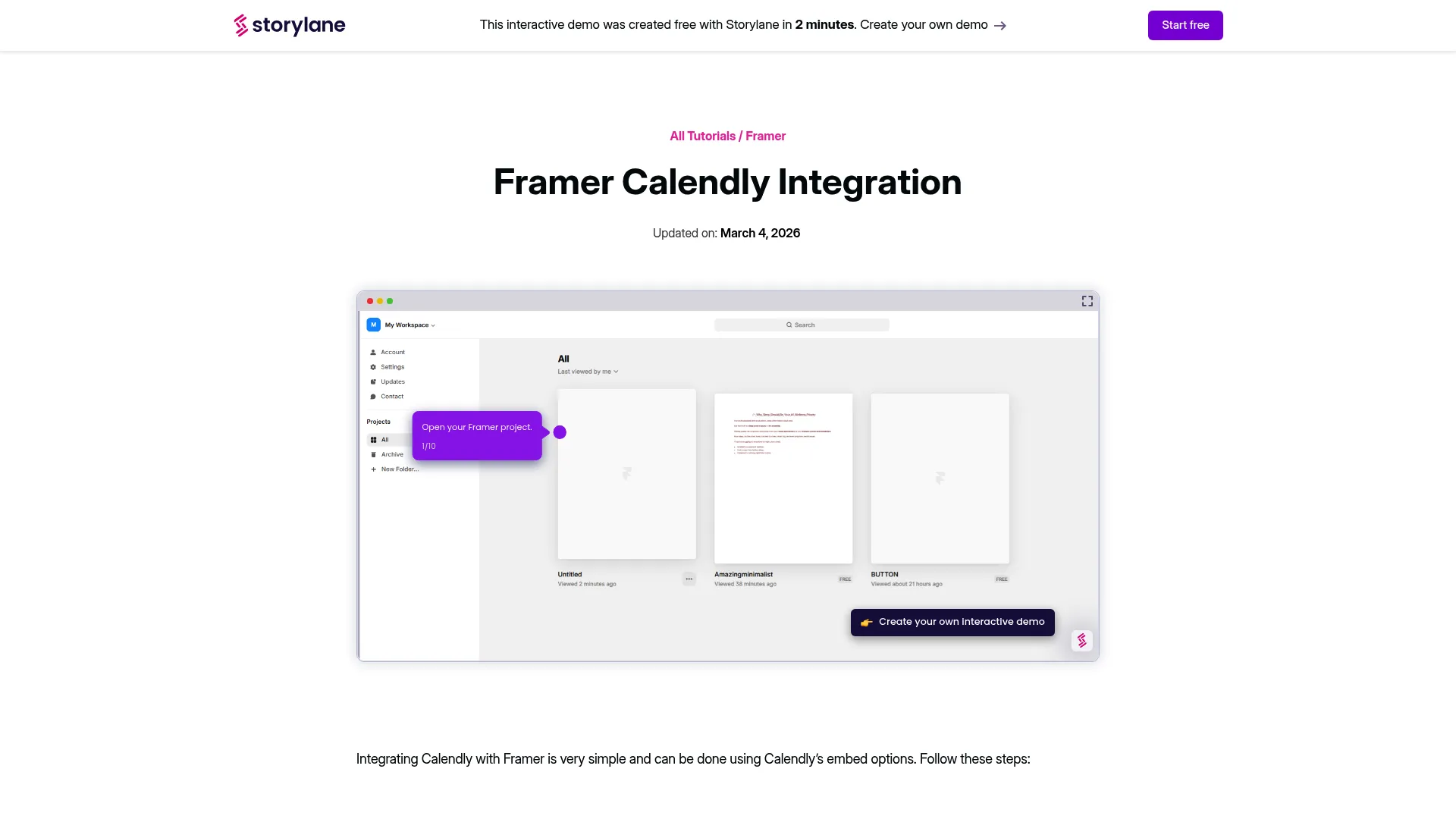
Also watch out for limits on event types, routing forms, or integrations. Those are often the exact features you need to make the booking flow feel premium. If you want a quick reference on how a Calendly-style tool fits into a Framer workflow, Framer Calendly Integration: 1-Min Guide gives a simple overview.
The Fastest Setup: Embedding Calendly in Framer (Without Breaking Layout)
If you want the fastest win, embedding Calendly (or a similar scheduler) is usually it. The trick is making the embed behave like a native Framer section: responsive, on-brand, and not trapped in a weird scroll box. Do that, and your framer booking system feels clean even if the scheduler itself is third-party.
Inline embed vs. pop-up button: which converts better
Inline embeds tend to convert better when the user is already warmed up—like after a pricing section, case studies, or a clear “what happens next.” The calendar is visible, so the commitment feels small: they’re just picking a time. This works especially well on one-page sites.
Pop-ups are better when you want to keep the page lightweight or when booking is secondary to reading. For example, a “Book a demo” button in the hero that opens a modal can work nicely, as long as the modal loads fast and doesn’t feel like an ad.
Responsive sizing and avoiding scroll-within-scroll
The #1 layout killer is scroll-within-scroll: the calendar embed has its own scroll area inside your page. On desktop it’s annoying; on mobile it’s a conversion killer because users think the page is broken. Set a generous height for inline embeds and test common breakpoints (390px, 768px, 1024px).
If you’re using a Framer scheduling widget via embed code, check whether the tool offers “responsive embed” options, or use a container with a defined min-height. I always test in an actual phone browser, not just a desktop preview—mobile scrolling behavior is where issues show up.
Branding the booking flow to match your Framer design
Your site might be beautifully designed with Frameblox sections, then the booking step suddenly looks generic. You can usually align the experience by customizing scheduler colors, typography, and button styles. Even small changes—matching your primary button color and rounding—reduce the “third-party” feeling.
If you also want to capture leads who aren’t ready to schedule, you can add a simple contact form near the booking section. Framer’s own guide How can I add a contact is handy when you’re building a fallback that still feels native to the page.
Native-Looking Booking Pages: Designing a Flow That Feels Built-In

Even with an embed, you can make your booking page feel like it was built inside Framer. This is where your layout choices do most of the heavy lifting. When the flow is clear, people don’t “think” about scheduling—they just complete it.
The ideal page structure: proof → offer → availability → confirmation
I like a simple structure that mirrors how people decide: first, reassure them you’re credible (logos, results, short testimonial). Next, make the offer specific (“30-minute product walkthrough + Q&A”). Then show availability immediately, so momentum doesn’t die while they hunt for a link.
After booking, make confirmation obvious: what happens next, where the invite arrives, and what to prepare. If your framer booking system is a key conversion point, consider dedicating a full page to it rather than burying it in a tiny section below the fold.
Microcopy that reduces no-shows and hesitation
Microcopy is underrated. A single line like “You’ll get a calendar invite instantly—reschedule anytime” reduces anxiety and sets expectations. Another helpful line is “Time zones auto-detected,” which prevents the most common scheduling mistake without making the user feel dumb.
You can also prevent low-quality bookings with gentle boundaries: “Please book only if you’re evaluating UI kits for a live project.” That kind of filtering is polite and saves everyone time, especially if you offer limited slots.
Mobile-first details: sticky buttons, tap targets, and speed
On mobile, your booking flow needs bigger tap targets than you think. If the embed has tiny time slots, users will mis-tap and get frustrated. A sticky “Choose a time” button that jumps to the embed can help, especially on long pages.
Speed matters too. Keep the booking page lean: don’t overload it with heavy animations above the scheduler. If your UI kit is already delivering a crisp experience elsewhere, your framer booking system should feel just as fast and confident.
Payments, Deposits, and No-Show Protection (Without Angry Customers)
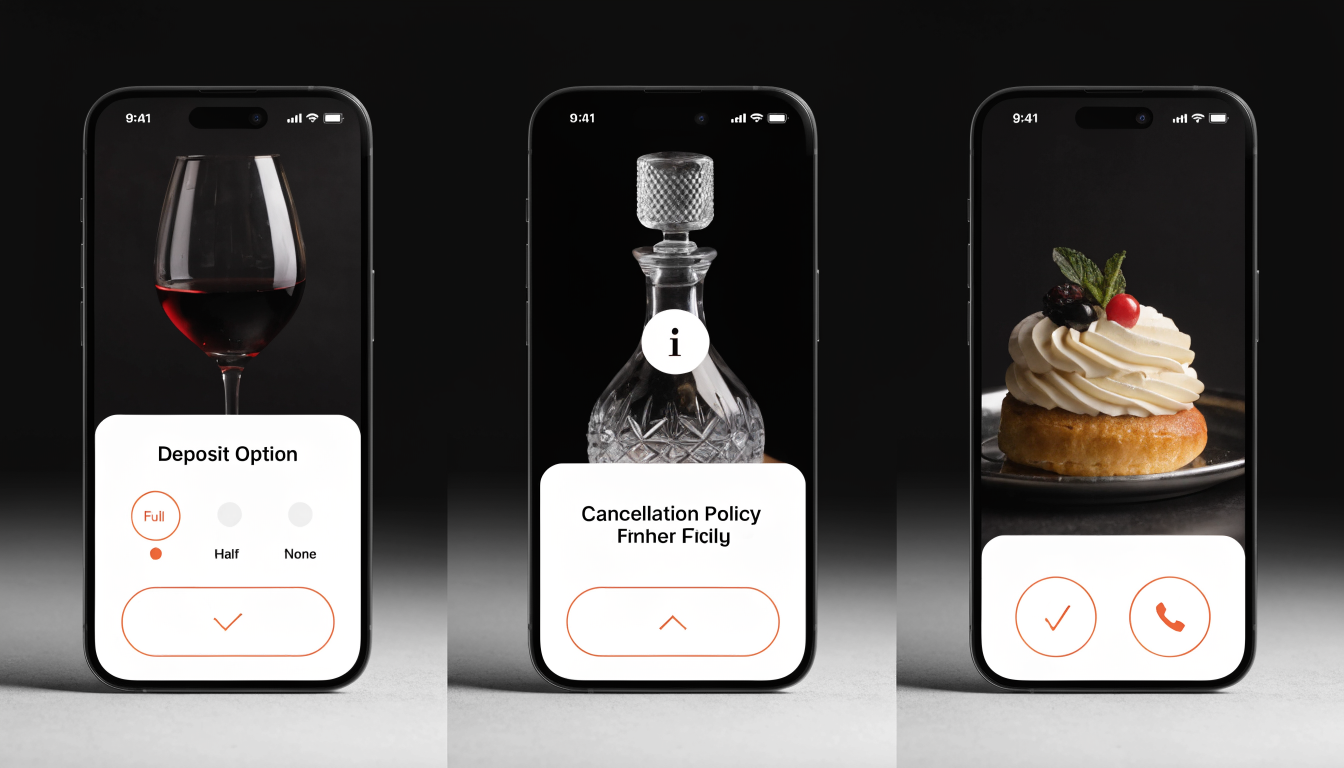
If you offer paid sessions, charging policies can either protect your calendar or scare off good customers. The goal isn’t to “lock people in.” It’s to create a fair system that respects your time and theirs. A well-designed framer booking system makes payment feel normal—more like checking out for a service than being hit with a surprise fee.
When to charge in full vs. take a deposit
Charging in full works best when the service is clearly defined and outcomes are predictable—like a 60-minute coaching call, a portfolio review, or a paid onboarding session. The customer knows what they’re buying, and you reduce admin work because everything is handled upfront.
Deposits are better when people are still a bit unsure or when the price is high enough that paying all at once adds friction. A common approach is 20–50% upfront, then the rest later. It protects you from no-shows without forcing a big commitment too early.
Refunds, reschedules, and cancellation windows that feel fair
The fastest way to create “angry customers” is vague policy copy. Be specific: “Free reschedule up to 24 hours before,” or “Cancellations within 12 hours are charged.” If you’re going to enforce a rule, state it in plain language before payment, not buried in a footer.
I’ve found that giving one “grace reschedule” per customer can soften strict policies without opening the floodgates. Many tools let you implement this manually, or you can handle it via support if your volume is low.
How to present pricing so it doesn’t tank conversions
Price presentation is mostly about context. Put the value statement right next to the price: what they get, how long it takes, what they’ll walk away with. If you’re selling a discovery call, say whether it’s free and what qualifies someone for it.
When possible, show the price before the user clicks into the scheduler. That reduces “surprise exits.” The best Framer appointment booking pages treat pricing like part of the product UI—clear, scannable, and consistent with the rest of your design system.
Automations That Make Your Booking System Feel Premium
A premium booking experience isn’t just about the calendar UI—it’s what happens around it. The right automations make your framer booking system feel organized and calm. Users get the right reminders, you get the right info, and nobody has to chase details over email.
Email and SMS reminders: timing that actually reduces no-shows
A simple reminder sequence can meaningfully cut no-shows: one email right after booking (confirmation + prep), one 24 hours before, and one 1 hour before. That cadence is frequent enough to keep it top-of-mind but not so frequent that it feels spammy.
SMS reminders can help if your audience is mobile-heavy, but they’re not mandatory. If you add SMS, keep it short and clearly identify your brand. The best reminder messages include a reschedule link so people don’t ghost when plans change.
Pre-call intake forms and routing to the right calendar
Intake forms are where good scheduling becomes great. Ask only what you’ll actually use: goal, timeline, budget range (if relevant), and one open-ended “What should we know?” question. Long forms often reduce completion, so keep it tight and focused.
Routing is the next level: based on answers, send people to the right event type or team member. This matters a lot if you offer multiple services—like sales demos, support calls, and onboarding—and you don’t want everything landing on the same calendar.
Zapier/Make workflows: CRM, Slack alerts, and task creation
If you want Framer booking automation that feels “hands off,” connect your scheduler to a CRM and your internal tools. Typical workflows: create/update a contact, post a Slack alert with booking details, and create a task with a due date for prep.
Even if you’re small, this is worth it. I’ve seen solo founders save hours per week by automating just the basics. You don’t need a complex system—just a clean chain from “booked” to “prepared” so every meeting starts smoothly.
Advanced Scheduling: Multiple Services, Team Members, and Round-Robin Logic
Once you move beyond a single “book a call” link, scheduling gets real. The good news is: most modern tools can handle complexity—you just need to set them up intentionally. A scalable framer booking system should support multiple offers without turning your site into a maze.
Service menus: durations, buffers, and add-ons
Service menus work when your offers are clearly different: “15-min intro,” “45-min strategy,” “90-min workshop.” Each service needs its own duration and buffer rules so you don’t accidentally stack calls back-to-back. Buffers protect your energy and prevent meetings from running into each other.
Add-ons are useful, but be careful: too many options can slow decisions. If you offer add-ons, keep them simple (one or two) and explain them in one sentence each. The goal is clarity, not a restaurant menu.
Team scheduling: collective availability and assignment rules
If you have a team, you’ll want either collective availability (book whoever’s free) or assignment rules (route by region, company size, or topic). Round-robin is great for speed, but only if everyone keeps calendars updated and meetings have consistent quality.
For agencies, I like a hybrid: routing form → correct specialty calendar → round-robin among that specialty. That way, a technical integration call doesn’t get booked with someone who only handles design discovery.
Handling time zones and travel/office hours cleanly
Time zones are a constant source of subtle errors, especially for global SaaS. Make sure your booking UI clearly displays the detected time zone and allows the user to change it. If you work limited hours, show them in the user’s local time to prevent confusion.
If your team travels or has split schedules, define working hours per person rather than one shared office schedule. A robust online booking system for Framer should reduce mental math for users, not add it.
SEO + Analytics for Booking Pages: Track What’s Really Working
A booking page can look perfect and still underperform. You won’t know why unless you track the steps. With a framer booking system, the “conversion” isn’t just the thank-you page—it’s the whole funnel from click → start → completion.
Event tracking: clicks, form starts, completions, and drop-offs
At minimum, track three events: booking button click, scheduler loaded/started, and booking completed. If your scheduler supports webhooks or conversion events, use them. If not, track the click-out and a thank-you page view as a proxy.
Drop-offs are where the insights are. If clicks are high but completions are low, your scheduler embed may be slow, confusing on mobile, or asking too many questions. If starts are low, your offer positioning above the calendar may be unclear.
UTM strategy for ads and partnerships
If you run ads, partnerships, or even newsletter promotions, use UTMs consistently. A clean approach is: source (partner name), medium (email, paid, social), campaign (offer), and content (variation). Then you can see which channels produce actual booked meetings, not just traffic.
On Framer sites, I like creating a dedicated booking page for each campaign when it’s worth it. That lets you tailor the copy and proof for that audience, which can lift conversion without changing the scheduler itself.
Speed, accessibility, and trust signals that lift conversions
Speed is part of SEO and conversion. Keep booking pages lightweight: compress media, avoid stacking multiple heavy embeds, and don’t overload the booking section with complex interactions. If the scheduler is the heaviest element, help it by making everything else lean.
Accessibility and trust signals matter too: readable text sizes, clear focus states, and straightforward headings. Add proof near the booking area—short testimonials, recognizable logos, or a privacy note—so users feel comfortable sharing their email and details.
Common Framer Booking Mistakes (and the Quick Fixes)
If your framer booking system is acting up, it’s usually one of a few common issues. The good part is that most problems have fast fixes once you know where to look. I like to troubleshoot in the same order users experience the flow: load, book, confirm.
Embed not loading: scripts, blockers, and fallback links
If the embed doesn’t load, first check whether the tool requires scripts that are blocked by privacy settings, ad blockers, or strict browsers. Some users will never see the embedded widget, even if it works perfectly for you. That’s why a visible fallback link (“Open scheduler in a new tab”) is non-negotiable.
Also confirm the embed is placed in a container with a sensible height. If it loads but appears “blank,” it’s often just collapsed or hidden behind layout constraints on certain breakpoints.
Double bookings and calendar sync issues
Double bookings are usually calendar sync problems: the scheduler isn’t connected to the right calendar, the calendar is read-only, or there’s a delay in syncing busy times. Fixes include reconnecting the calendar integration, checking permission scopes, and ensuring the correct calendar is selected for conflict checking.
If you use multiple calendars (personal + work), be explicit about which ones block time and which one receives bookings. A reliable framer booking system depends on accurate “busy” data, not just availability windows.
Confirmation confusion: where people miss the next steps
People often miss confirmation details because they close the tab too quickly or the message is buried. Put the next steps in three places: the confirmation screen, the confirmation email, and the calendar invite description. Repetition here is helpful, not annoying.
Include the meeting link (if applicable), what to prepare, and reschedule/cancel links. If you want fewer no-shows, the easiest win is making rescheduling feel simple and judgment-free.
Real-World Examples: Booking Flows for Coaches, Agencies, and Local Services
Booking flows aren’t one-size-fits-all. The best framer booking system depends on what you sell and how quickly people decide. Here are a few patterns I’ve seen work well—and you can adapt them using Frameblox sections and components so they look polished without taking days to design.
Discovery call funnel for agencies
For agencies, the goal is filtering, not just volume. A strong flow is: services overview → 2–3 case studies → “What we’ll cover” bullets → routing form → booking calendar. The routing form can ask budget range and timeline so you’re not booking calls that won’t convert.
Keep the scheduler step simple: fewer event types, fewer clicks. If you offer both “Discovery” and “Technical scoping,” use routing to choose for the user. That way, they don’t have to understand your internal process.
Paid sessions for coaches/consultants
For coaching, paid booking creates commitment. The flow is usually: clear offer + outcome → price → a couple testimonials → booking with payment → confirmation + prep questions. You’ll get better calls when people know exactly what they’re buying and what they should bring to the session.
If you’re offering a Framer-related service (like a Framer build review), this is a good place to point to resources or examples. You can even link to a component library page like Components to show what “good” looks like in practice.
Local services: short lead times and same-day rules
Local services often need tighter scheduling rules: no same-day bookings after a certain hour, minimum lead time, or travel buffers. In your scheduler, set rules like “minimum 24 hours notice” or restrict last-minute slots so you don’t get unrealistic requests.
Also keep mobile UX extra clean because many local bookings happen from a phone. Big buttons, minimal typing, and a fast-loading embed go a long way. For a local-friendly framer booking system, clarity beats fancy design every time.
What People Often Wonder About a Framer Booking System
If you’ve been researching framer booking system setups, you’ve probably noticed the same recurring questions pop up. Here are the practical answers I give most often, especially to busy founders and designers who just want a reliable setup that doesn’t create support tickets.
Can I do bookings in Framer without third-party tools?
Framer itself doesn’t function as a full scheduling engine with real-time availability, calendar conflict checks, and reminders. You can build a “request an appointment” form and manually confirm times, but that’s not the same as true scheduling and it usually creates extra back-and-forth.
If your volume is low, manual can work temporarily. But if booking is a core conversion action, using a dedicated scheduler is typically the cleanest path to a dependable Framer scheduling widget experience.
Which booking tools work best on mobile?
Mobile performance depends on how the tool renders and how heavy the embed is. Tools with responsive embeds, large tap targets, and fast initial load tend to feel best. Also, some schedulers behave better as a pop-up rather than an inline embed on small screens.
Whatever tool you pick, test it on a real phone over cellular data. A framer booking system that feels fine on Wi‑Fi can feel sluggish on the go, and that’s where you lose impatient users.
How do I handle GDPR/privacy with embeds?
Embeds can load third-party scripts that collect data like IP addresses or usage stats. If you operate in regions that require consent (or you just want to be respectful), consider adding a consent banner and loading the booking embed only after approval.
At minimum, link to your privacy policy near the booking section and be transparent about the provider you’re using. If you’re unsure, get legal guidance for your specific situation—privacy requirements depend on where you operate and who you serve.
Your Launch Checklist: A Booking System That’s Live, Polished, and Reliable
Once your booking flow is built, the last step is making it boring—in the best way. Boring means predictable, tested, and resilient. If you’re using Frameblox to ship faster, this checklist helps ensure your framer booking system doesn’t become the one part of your site that feels unfinished.
Pre-launch QA: devices, time zones, payments, and confirmations
Test on at least three devices: a small phone, a modern laptop, and a tablet. Then test time zones by switching your OS time zone (or using a tool) to confirm what users see. Make sure the scheduler displays the right zone and that confirmation emails match it.
If you take payments, run a real test transaction (or sandbox mode) and confirm refunds/reschedules behave as expected. Finally, confirm the whole confirmation chain: on-screen message, email, and calendar invite content.
Post-launch optimization: A/B tests and feedback loops
After launch, optimize the highest-leverage pieces first: the booking CTA text, the section immediately above the embed, and the number of fields in your intake form. Small copy changes can have outsized effects, especially if your traffic is warm.
Add a lightweight feedback loop too. A simple post-call question—“What almost stopped you from booking?”—can reveal friction you won’t see in analytics. That’s how you turn a “working” Framer appointment booking flow into a consistently high-converting one.
Maintenance plan: updating services, hours, and automations
Set a monthly reminder to review availability rules, holidays, and service descriptions. Booking tools drift over time—someone changes working hours, a calendar integration expires, or a reminder email becomes outdated. Regular check-ins prevent silent breakage.
If you’re evolving your site, keep your design system consistent across pages. Frameblox makes this easier—pages like All and Styles are great references for keeping buttons, spacing, and typography aligned. When your UI stays consistent, your framer booking system feels like a natural extension of the product—not a bolt-on.
Next step: If you want the simplest path, pick one scheduler, embed it cleanly, add a fallback link, and set up the three reminders. That baseline alone covers most real-world needs. Then, once you see bookings coming in, layer on routing and automation so the experience feels premium without turning into a huge project.
This article was created using Blogie.